 CCleaner 6.21.10918
Screenshots of CCleaner

CCleaner Editor's Review
CCleaner has been around for more than seven years now and it firmly established itself as one of the best cleaning tools for Windows PCs. Piriform set the standards very high, but each new release succeeded in outstripping the previous version while delivering brand new features.
The latest version has just been released and CCleaner v3.0 stays true to its name, providing the public with the same quality product, simple interface and of course it comes for free. Since it is meant as a big step forward it includes a multitude of features and changes without cutting down on the ones that made it so popular.
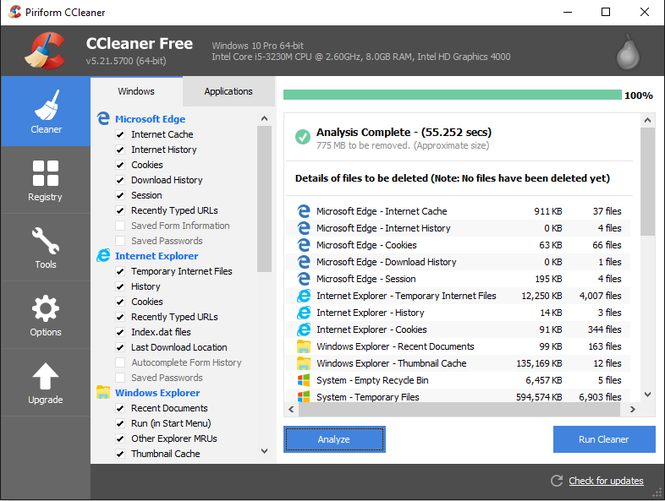
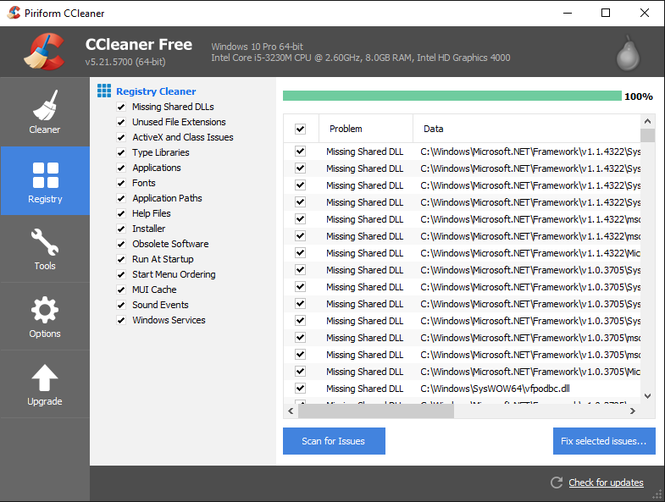
CCleaner helps users get rid off temporary and unwanted files left by different programs and internet browsers: cookies, memory dumps, file fragments, log files, system caches, browsing history and more. Furthermore, it includes a registry cleaner, fixing problems in Windows Registry, including unused registration entries and missing references.
Simply press the “Analyze” button for the program to start scanning and once it detects the junk files, press the “Run Cleaner” button to seal the deal. Just make sure you are absolutely sure about deleting these items cause there is no way to restore them. In addition one can use CCleaner to uninstall programs, disable start-up programs and to delete system restore points.
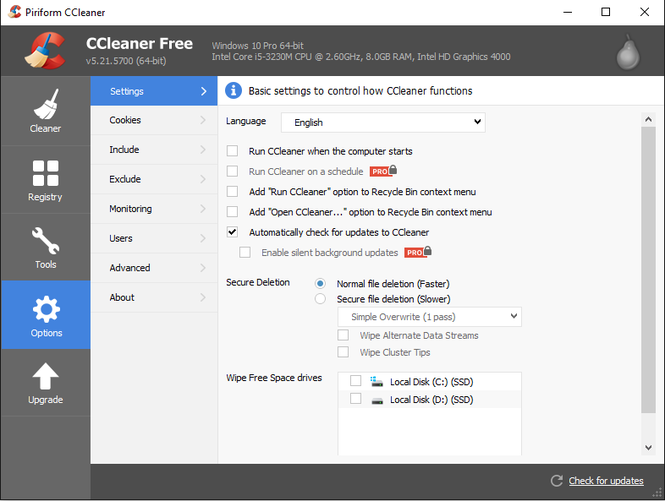
The latest version includes a new 64-bit native EXE designed specifically for 64-bit systems, improved support for Internet Explorer 9 and the Google Chrome browsers, additional cleaning support for Microsoft Silverlight Isolated Storage, new intelligent cookie keeping feature and more. A cool addition is the new Drive Wiper tool screen which allows users to securely erase the contents or free space on a specified drive.
Pluses: Simple yet comprehensive, constantly updated to satisfy every need, highly customizable and of course free.
Drawbacks / flaws:
In conclusion: I would recommend this product even if was a shareware, as it can satisfy even the most savvy consumers. As a free program, CCleaner is nothing short of a miracle and a shining example of how quality prevails over the years, Piriform’s latest release being a market-leading cleaning tool for almost a decade.
CCleaner Publisher's Description
CCleaner is a freeware system optimization, privacy and cleaning tool. CCleaner is the number-one tool for cleaning your Windows PC. Keep your privacy online and offline, and make your computer faster and more secure. Easy to use and a small. It removes unused files from your system - allowing Windows to run faster and freeing up valuable hard disk...
Read moreOther Languages
Look for Similar Items by Category
Feedback
- If you need help or have a question, contact us
- Would you like to update this product info?
- Is there any feedback you would like to provide? Click here
Popular Downloads
-
 Kundli
4.5
Kundli
4.5
-
 Macromedia Flash 8
8.0
Macromedia Flash 8
8.0
- FastSum 1.9
-
 Cool Edit Pro
2.1.3097.0
Cool Edit Pro
2.1.3097.0
-
 FastSum Standard Edition
1.6
FastSum Standard Edition
1.6
-
 My Talking Tom
1.0
My Talking Tom
1.0
-
 Cheat Engine
6.8.1
Cheat Engine
6.8.1
-
 Hill Climb Racing
1.0
Hill Climb Racing
1.0
-
 Mozilla Firefox
108.0...
Mozilla Firefox
108.0...
-
 C-Free
5.0
C-Free
5.0
-
 Tom VPN
2.2.8
Tom VPN
2.2.8
-
 Vector on PC
1.0
Vector on PC
1.0
-
 Windows XP Service Pack 3
Build...
Windows XP Service Pack 3
Build...
- HP LaserJet 1100 Printer Drivers 4.3.2.5
-
 Iggle Pop
1.0
Iggle Pop
1.0
-
 Netcut
2.1.4
Netcut
2.1.4
-
 Grand Theft Auto: Vice City
1.0
Grand Theft Auto: Vice City
1.0
-
 Opera browser
91.0.4516.65...
Opera browser
91.0.4516.65...
-
 GeoGebra
5.0.44
GeoGebra
5.0.44
-
 Minecraft
1.10.2
Minecraft
1.10.2